
Before it ships
Online submission
Customers enter sample details once. Each bag gets a lab number and a scannable label before it leaves the farm, so the box arrives matched to its paperwork.
Software for independent analytical labs
Terreaux builds the software that connects how samples arrive, how they move across the bench, and how results reach customers. It works around the forms, instruments and portal you already have, with your LIMS, with our lightweight one, or with none at all.
Four pieces along the path a sample takes.
Use one, or all of them.
Before it ships
Customers enter sample details once. Each bag gets a lab number and a scannable label before it leaves the farm, so the box arrives matched to its paperwork.
At the door
Handwritten worksheets will keep coming. A photo of one becomes sample records. Smudged or crossed-out values are flagged for a person to confirm, never guessed.
On the bench
Online orders, paper forms, drop-offs and route pickups land in one list, with the same states from arrival to reported. Nobody has to ask where a sample is.
After analysis
Posting a result updates the customer's page or your existing portal, and sends a short email that quotes the lab number from their label.
Keep your LIMS, add ours, or run without one.
Start with what you have. Change the setup later without re-entering a sample.
No LIMS needed
Submissions, labels, receipt, results and reports run in Terreaux. Staff record results by hand or import them, and release reports from the same place.
Keep what you run
Orders go to your existing system; receipt, results and reports come back. Each field has one owner, so nothing gets overwritten. SENAITE works today; others connect through the same adapter.
Lightweight LIMS
An optional LIMS for labs that have outgrown spreadsheets: accessioning, aliquots, storage, worklists, batches, QC checks and verification, connected to the portal.
Bench only
Run Strata as your lab system with its own users and API, and add the customer portal later if you want it.
The screens your team works in.
From the portal and Strata to the apps on the bench. Shown with the Perry Agricultural Laboratory demo data.
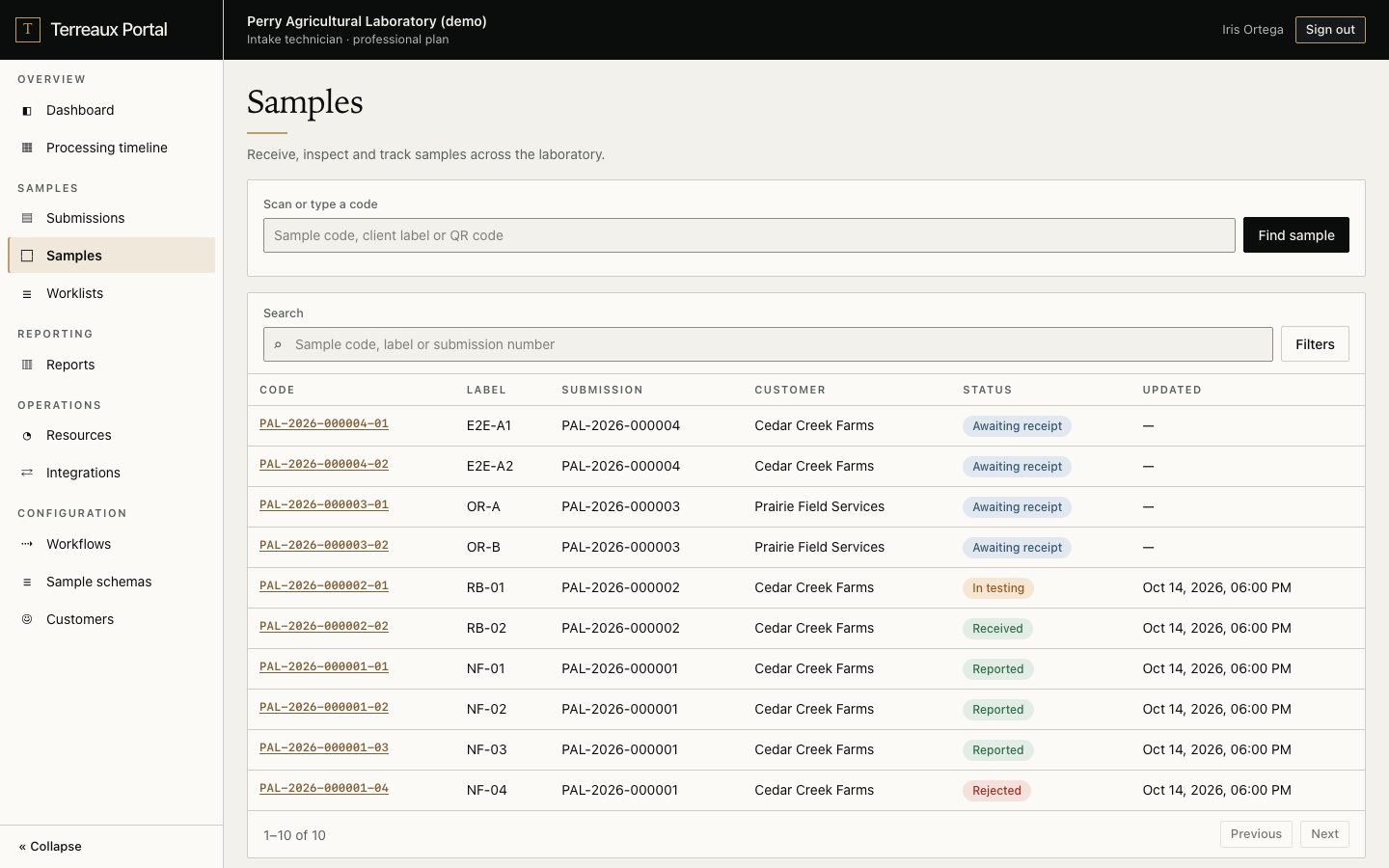
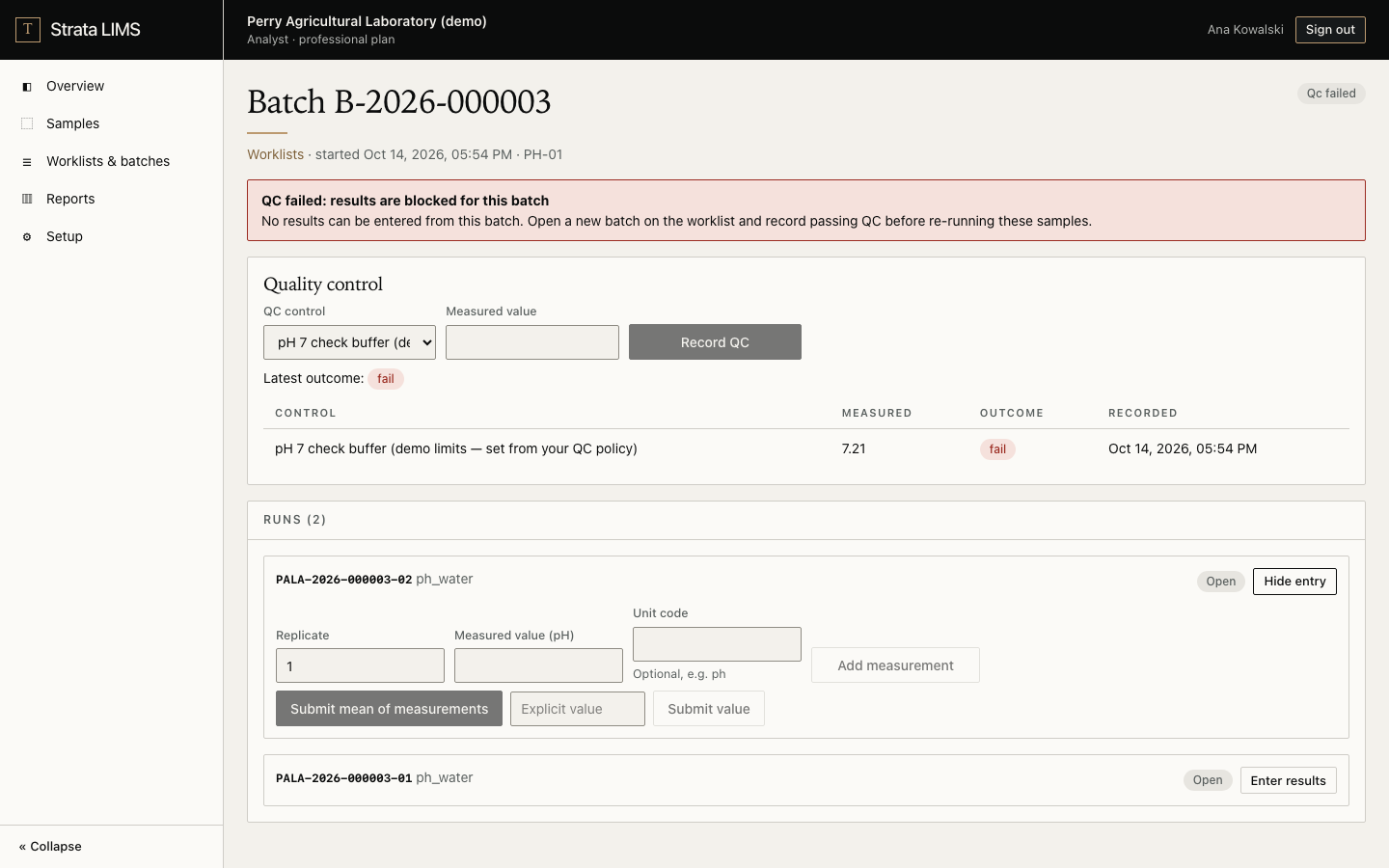
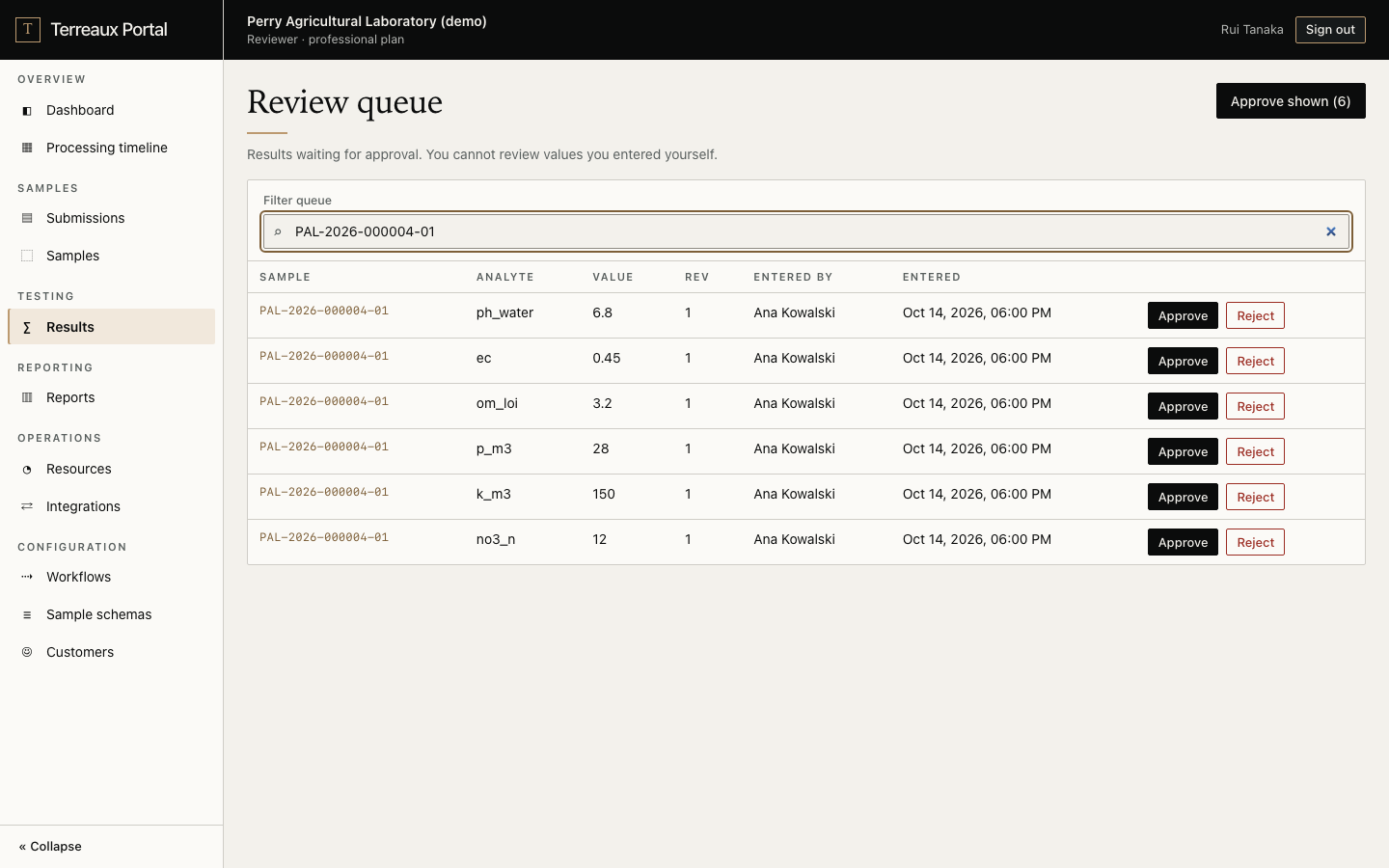
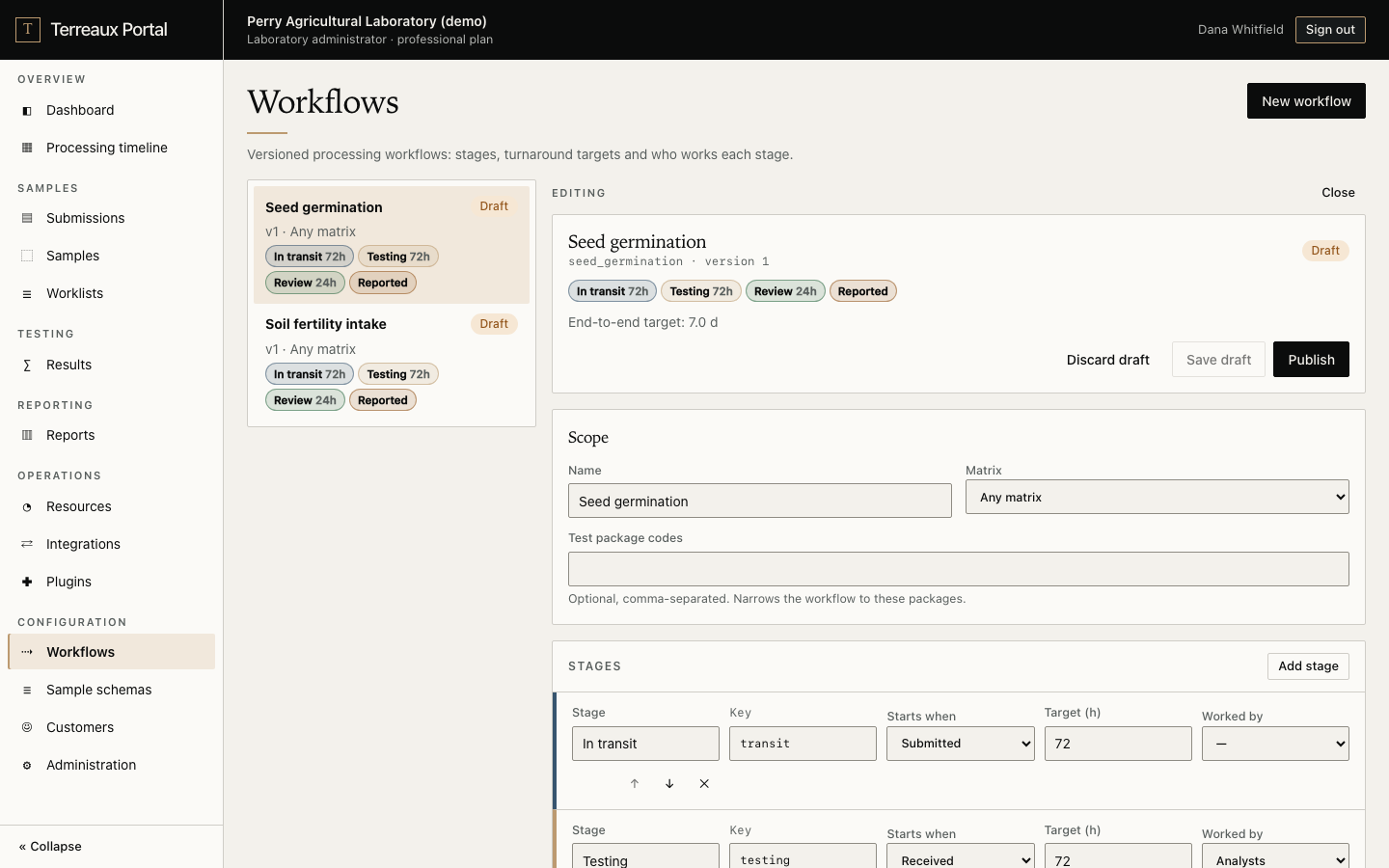
What every lab gets on day one.
iPhone · Android · Mac · Windows
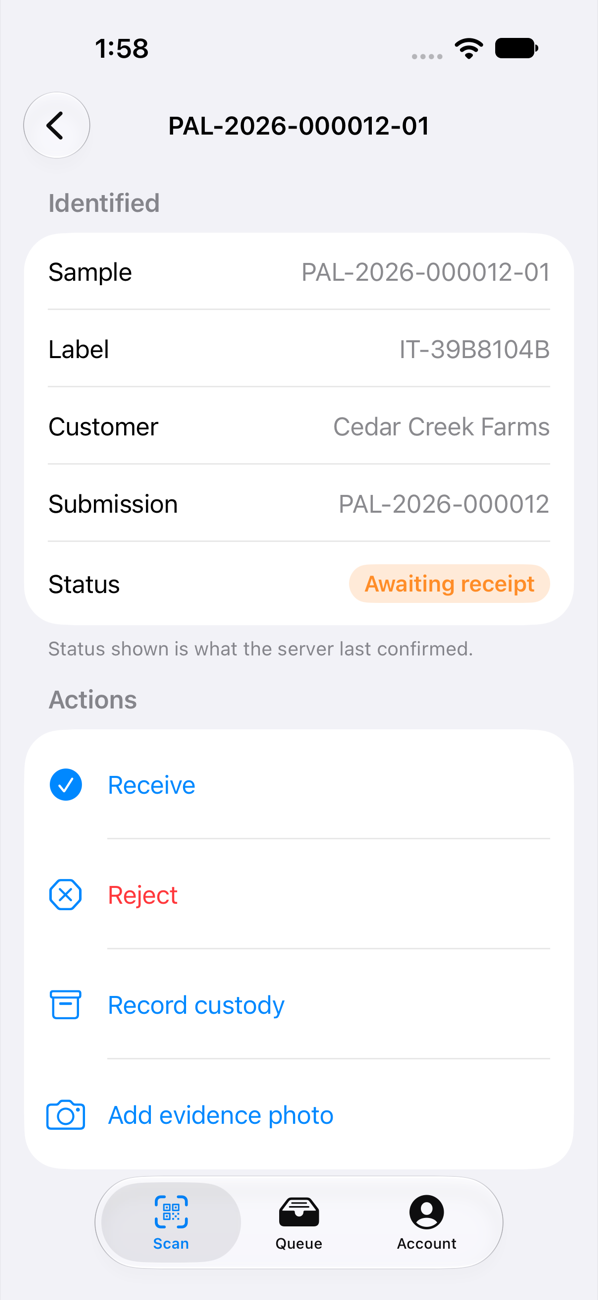
Scan, receive and record on the device in your hand. Work keeps going offline and syncs when the connection returns, without duplicate samples.
Sample identity
Every bag gets a printed label or wrap tag. Scan it to find, receive or reject a sample. Codes carry no account data.
Results
Results move from draft to approved by a second person. Amending a released report needs a reason and creates a new version; customers see only what you release.
Traceability
Every change is recorded in an append-only, tamper-evident history. Each customer sees only their own samples.
Configuration
Shape the steps samples go through, add custom fields to samples, and track bench resources and a processing timeline.
Extensions
Import instrument CSVs as draft results, or count seeds from a tray photo. Plugins run sandboxed and need a second admin to approve them.
We look at your submission forms, drop-off points and bench routine with you, and find where the same information gets typed more than once.
We connect to your LIMS, spreadsheets or portal rather than replacing them. No LIMS yet? Strata covers the bench without a migration project. We start with the one handoff that costs you the most time.
Your staff run it day to day. We set up monitoring, write down how it works, and stay on hand as your season ramps up.
Independent and regional labs where a small team handles a lot of samples, and the busy season doesn’t wait.
Image analysis for
the lab bench.
Extract measurements, compare samples and spot visual patterns.
Preview / Image analysis
Extract size, shape and surface features to compare samples and detect visible defects.
Preview / Image analysis
Track seedling development across images and identify signs of abnormal growth.
Preview / Image analysis
Identify possible impurities and characterize tetrazolium staining patterns.
Preview
Match results to samples and flag out-of-range values before reporting.
Preview
Combine lab results and field images into drafts in your lab’s own wording.
Preview
Give growers plain-language answers grounded in your lab’s results and recommendations.
WALKTHROUGH